
Hidden Cameras for Elderly Care
The most practical hidden cameras for elderly care are self-contained, motion-activated devices that record 1080P footage to onboard storage — no Wi-Fi required, no complicated setup, no obvious hardware to trigger suspicion. A USB charger camera placed near a bed or chair gives you outlet-height coverage of the room's primary activity zone. A pocket clip mini camera works if you need flexible placement without a fixed installation point. Any of the four options below captures usable facial footage at close-quarters caregiver distances.
Monitoring a Parent's Care Shouldn't Require a Security System Degree
You've probably been circling this decision for a while. Maybe something felt off — a bruise that wasn't explained well, a medication that wasn't given on schedule, a parent who seems quieter than usual after a caregiver leaves. Or maybe nothing specific has happened and you just want to know, with certainty, that the person you're trusting with someone you love is doing the job right. Both are valid reasons to be here.
What you need is simple, reliable, and inconspicuous. Not a full surveillance buildout — a device that records what happens in the room without drawing attention to itself, stores the footage locally so you can review it when it matters, and works without requiring your parent to know how to operate anything. The cameras below are the ones I'd point a family member toward. They don't require an IT background. They don't need to phone home to a cloud server. They do exactly what they're supposed to do and nothing more.
Top Hidden Cameras for Elderly Care
USB Charger Hidden Camera with DVR

Price: $49.95
This is the placement I'd choose first for a bedroom or sitting room. It plugs into a standard wall outlet and looks exactly like a phone charger — because it functions as one. At outlet height it covers the room's natural traffic pattern, which in a caregiving context means medication administration, transfers, and anything that happens near a bed or chair. 1080P captures faces at typical in-room distances. Motion activation means the 32GB storage fills with events, not empty rooms.
Mini Hidden Spy Camera with Built-In DVR

Price: $29.95
When you need flexibility in placement — a shelf, a bookcase, inside a bag — this is the option. The pocket clip design lets you position it at whatever angle covers the activity zone you care about, without requiring a power outlet nearby. Motion activation and 32GB onboard storage handle the recording side automatically. At $29.95 it's also a practical choice if you want coverage in more than one room without significant cost.
Eyeglasses Hidden Spy Camera
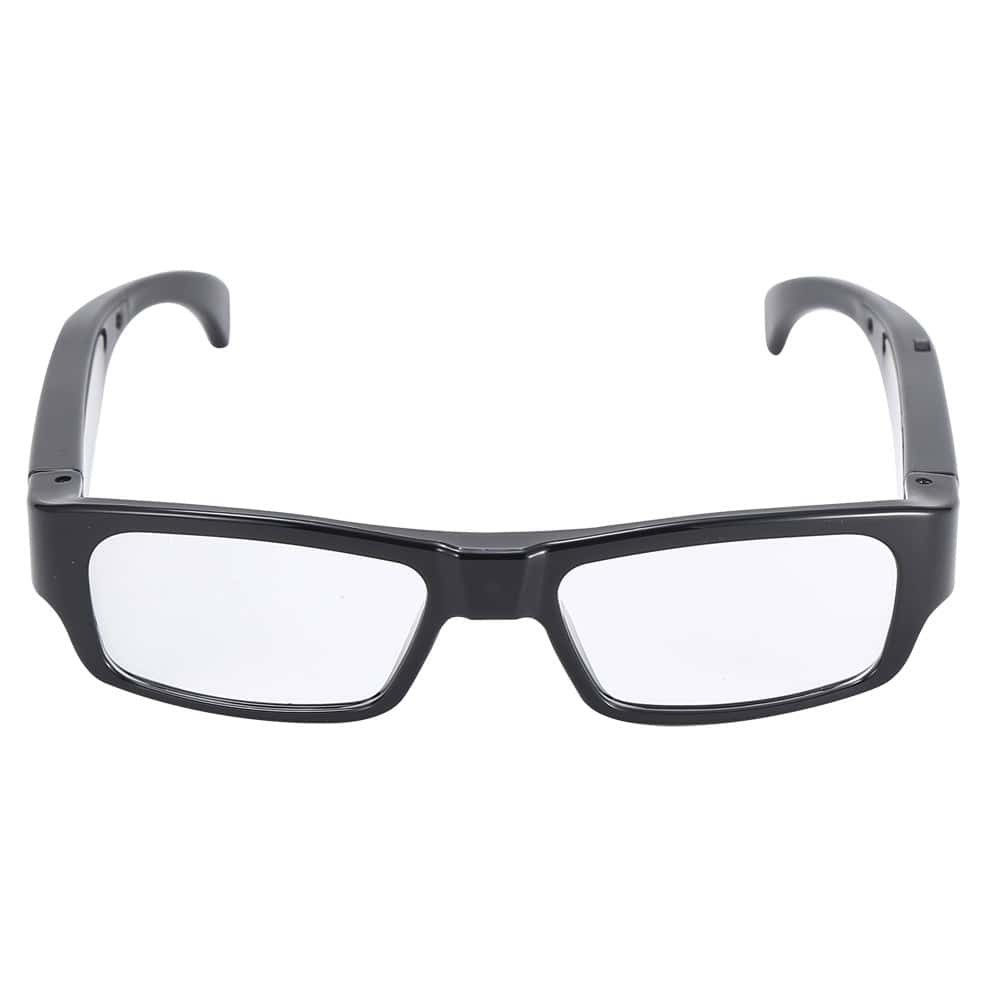
Price: $59.95
This one serves a different purpose. If your parent is mobile and spends time outside the home — medical appointments, day programs, transport — a fixed-location camera doesn't help you. The eyeglasses camera goes with them. Two-hour battery covers a typical appointment or outing, 1080P HD records close-range interactions clearly, and 32GB stores the full session. It's a passive device — your parent just wears it. No buttons to press, no steps to remember.
HD Pen Hidden Camera with Built-In DVR

Price: $49.95
The pen camera works well in transitional monitoring situations — medical appointments, care facility common areas, or any context where a family member needs to document an interaction without a fixed installation. 1080P at 30fps captures clear motion footage at conversational distances. The 1.5-hour battery covers a typical care visit. It looks like a pen on a table or in a shirt pocket. Nobody processes it as a camera because there's no reason to.
What to Look for in a Hidden Camera for Elderly Care
The use case shapes the selection. For in-home care monitoring, you want a device that installs once, requires no ongoing attention, and doesn't draw curiosity from caregivers or visitors. That points you toward fixed-location options — the USB charger camera in particular — because they're always in position, always powered, and indistinguishable from ordinary household items. Motion activation is important here. You're not monitoring continuously; you're capturing events. A motion-triggered 1080P camera recording to 32GB local storage gives you indexed footage of activity without requiring you to scrub through hours of an empty room.
Resolution matters, but not in the way people assume. The question isn't whether the camera is "high definition" — it's whether 1080P captures a usable, identifiable face at the distances you're working with. In a bedroom or sitting room, caregiver-to-patient distances are typically 2 to 6 feet. Every camera on this page handles that range. Where resolution becomes a deciding factor is lighting. Poor overhead lighting in a care room reduces effective sharpness more than sensor specs do. Position the camera to leverage available light rather than relying on the sensor to compensate for a dark corner.
For families monitoring a parent who moves between locations, battery-powered wearable options — the eyeglasses camera — extend coverage beyond the home without requiring installation at each location. The tradeoff is battery life. A 2-hour runtime covers a medical appointment but not a full day program. Pair it with the USB charger camera for at-home coverage and you've addressed both environments. If you're evaluating these for a more comprehensive monitoring setup, the full hidden cameras category includes additional form factors worth reviewing alongside these four.
Frequently Asked Questions
Is it legal to use a hidden camera to monitor a caregiver in my parent's home?
In most U.S. states, recording video in your own home — or in a home you are legally responsible for — is permitted without notifying the person being recorded. Audio recording laws are more restrictive and vary significantly by state. Laws also differ for care facilities versus private residences. I'm not a lawyer, and this isn't legal advice. Before you set anything up, check your state's specific statutes on video and audio surveillance. A quick call to a local attorney is worth more than any online summary.
Do these cameras require Wi-Fi or a smartphone app to work?
No. Every camera on this page records to onboard storage — 32GB SD or internal memory — and does not require a network connection to function. That's intentional. Wi-Fi-dependent cameras add a failure point: if the router goes down, the network changes, or the camera loses its configuration, it stops recording. These devices operate independently. You pull the footage by connecting to a computer via USB or removing the memory card, not through an app.
How much footage does 32GB actually hold?
At 1080P, 32GB stores roughly 6 to 10 hours of continuous footage depending on compression and motion complexity in the scene. With motion activation, that capacity stretches considerably — you're only recording when something is happening. In a typical caregiving context with a few hours of activity daily, 32GB provides several days of usable storage before the oldest footage loops. Review and back up footage you want to preserve before the card fills.
Where is the best placement for monitoring in-home care?
The highest-value placement is wherever primary caregiving activities occur — typically a bedroom or a living area where a parent spends most of their time. The USB charger camera works well on a nightstand-level outlet or a wall outlet near a chair. Outlet height gives you an angle that captures faces during standing interactions without looking down from above. Avoid placement behind the subject you're trying to protect — you want caregivers in frame, not your parent's back.
Will my parent know the camera is there?
That depends on how you handle it and whether you choose to disclose it. The devices on this page are designed to be unrecognizable as cameras in normal use. A USB charger looks like a charger. A pen looks like a pen. If your parent has cognitive decline, they're unlikely to identify the device. If they're cognitively intact, some families choose to disclose the monitoring to the parent while keeping it covert from caregivers — your parent becomes a cooperative participant rather than an unknowing subject. How you navigate that is a personal decision.
The Right Camera Is Already on This Page
If you're monitoring in-home care, start with the USB Charger Hidden Camera — it's the most natural placement in a caregiving environment and the least likely to draw attention over time. If you need flexible or portable coverage, any of the other three options above will do the job. The full hidden cameras category is there if you want to compare additional form factors before deciding.